 |
TurtleBrains
0.3.5
High quality, portable, C++ framework for rapid 2D game development.
|


|
|
TurtleBrains
0.3.5
High quality, portable, C++ framework for rapid 2D game development.
|
|
#include <tbx_parallax_backdrop.hpp>
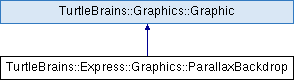
Public Types | |
| enum class | ScrollingType { kNoScrolling , kHorizontal , kVertical , kFullScrolling } |
Public Member Functions | |
| ParallaxBackdrop (const ScrollingType &scrollingType=ScrollingType::kFullScrolling) | |
| virtual | ~ParallaxBackdrop (void) |
| void | AddParallaxLayer (const tbCore::String &layerFilepath, const float parallaxMultiplier, const tbMath::Vector2 &offset=tbMath::Vector2::Zero()) |
| void | AddParallaxLayer (const tbGraphics::Sprite &layerSprite, const float parallaxMultiplier, const tbMath::Vector2 &offset=tbMath::Vector2::Zero()) |
| ScrollingType | GetScrollingType (void) const |
| void | ResetTargetArea (void) |
| void | ResetTargetArea (float targetWidth, float targetHeight) |
 Public Member Functions inherited from TurtleBrains::Graphics::Graphic Public Member Functions inherited from TurtleBrains::Graphics::Graphic | |
| Graphic (void) | |
| Graphic (const Graphic &other)=default | |
| virtual | ~Graphic (void)=default |
| Graphic & | operator= (const Graphic &other)=default |
| bool | IsActive (void) const |
| void | SetActive (const bool isActive) |
| void | Update (const float deltaTime) |
| bool | IsVisible (void) const |
| void | SetVisible (const bool isVisible) |
| void | Render (void) const |
| const tbMath::Vector2 & | GetPosition (void) const |
| void | SetPosition (const float x, const float y) |
| void | SetPosition (const tbMath::Vector2 &position) |
| const tbMath::Vector2 & | GetOrigin (void) const |
| void | SetOrigin (const AnchorLocation &anchor, const float offsetX, const float offsetY) |
| void | SetOrigin (const AnchorLocation &anchor, const tbMath::Vector2 &offset=tbMath::Vector2::Zero()) |
| void | SetOrigin (const float originX, const float originY) |
| void | SetOrigin (const tbMath::Vector2 &origin) |
| float | GetDepth (void) const |
| void | SetDepth (const float newDepth) |
| const tbMath::Vector2 & | GetScale (void) const |
| void | SetScale (const float scale) |
| void | SetScale (const tbMath::Vector2 &scale) |
| void | SetScale (const float scaleX, const float scaleY) |
| tbMath::Angle | GetRotation (void) const |
| void | SetRotation (const tbMath::Angle &angle) |
| void | SetScroll (const float scroll) |
| void | SetScroll (const float scrollX, const float scrollY) |
| bool | IsRelative (void) const |
| const Color & | GetColor (void) const |
| virtual void | SetColor (const tbGraphics::Color &newColor) |
| virtual PixelSpace | GetPixelWidth (void) const |
| virtual PixelSpace | GetPixelHeight (void) const |
| float | GetWidth (void) const |
| float | GetHeight (void) const |
| float | GetScaledWidth (void) const |
| float | GetScaledHeight (void) const |
| tbMath::Vector2 | GetAnchorPosition (const tbGraphics::AnchorLocation &anchor, const float offsetX, const float offsetY) const |
| tbMath::Vector2 | GetAnchorPosition (const tbGraphics::AnchorLocation &anchor, const tbMath::Vector2 &offset=tbMath::Vector2::Zero()) const |
| bool | UnstableIsPointContained (const tbMath::Vector2 &point) const |
Protected Member Functions | |
| virtual void | OnRender (void) const override |
| Protected Member Functions inherited from TurtleBrains::Graphics::Graphic | |
| virtual void | OnUpdate (const float deltaTime) |
| virtual void | ApplyTransform (void) const |
| virtual void | PopTransform (void) const |
The ParallaxBackdrop object takes a collection of sprites to have a depth/parallax effect when the object moves. It supports endless Horizontal or Vertical scrolling, Omni Directional scrolling or if desired no scrolling for menu like effects.
|
explicit |
Constructs an empty ParallaxBackdrop with the specified scrolling type.
| scrollingType | The direction of endless scrolling that the backdrop should have. |
|
virtual |
Cleans-up after the ParallaxBackdrop object and any sprite resources it used.
| void TurtleBrains::Express::Graphics::ParallaxBackdrop::AddParallaxLayer | ( | const tbCore::String & | layerFilepath, |
| const float | parallaxMultiplier, | ||
| const tbMath::Vector2 & | offset = tbMath::Vector2::Zero() |
||
| ) |
Add a new layer to the parallax effect for the backdrop. Each layer will perform the endless scrolling for itself adding slightly more computation time and fill-rate for graphics, although the layer will draw the minimum number of times to perform scrolling expected of the backdrop. Each time a new layer is added, it will be added in front of all previous layers.
| layerFilepath | The path of the file to load as a sprite that will be used for this layer of the backdrop, minimum size is 100x100px although larger sprites will have less performance overhead. |
| parallaxMultiplier | Essentially the amount of movement the layer will have, 0 would keep the layer from moving at all, and 1 would move at the same rate of speed as the backdrop object moves. |
| offset | If desired this will allow the layer to be offset positionally. |
| void TurtleBrains::Express::Graphics::ParallaxBackdrop::AddParallaxLayer | ( | const tbGraphics::Sprite & | layerSprite, |
| const float | parallaxMultiplier, | ||
| const tbMath::Vector2 & | offset = tbMath::Vector2::Zero() |
||
| ) |
Add a new layer to the parallax effect for the backdrop. Each layer will perform the endless scrolling for itself adding slightly more computation time and fill-rate for graphics, although the layer will draw the minimum number of times to perform scrolling expected of the backdrop. Each time a new layer is added, it will be added in front of all previous layers.
| layerSprite | The sprite that will be used for this layer of the backdrop, minimum size is 100x100px although larger sprites will have less performance overhead. |
| parallaxMultiplier | Essentially the amount of movement the layer will have, 0 would keep the layer from moving at all, and 1 would move at the same rate of speed as the backdrop object moves. |
|
inline |
Returns the scrolling of type of the backdrop object.
|
overrideprotectedvirtual |
Overrides OnRender() to be capable of endlessly scrolling each layer as the backdrop moves, depending on the scroll type of the backdrop object.
Implements TurtleBrains::Graphics::Graphic.
| void TurtleBrains::Express::Graphics::ParallaxBackdrop::ResetTargetArea | ( | float | targetWidth, |
| float | targetHeight | ||
| ) |
To draw a parallax backdrop on a target that has a different size than screen, use this. It could be used to render to RenderTarget larger than the screen, or to render to a smaller area than the screen.
| void TurtleBrains::Express::Graphics::ParallaxBackdrop::ResetTargetArea | ( | void | ) |
Resets the target area for the backdrop to be the current width and height of the screen. This should be called if/when the screen resolution changes if the backdrop is using screen size.
 1.9.1
1.9.1